

Scale your Strapi app
Scale your Strapi app vertically and horizontally on Microtica — set CPU and memory per instance, and run multiple replicas behind a load balancer.
You can scale your Strapi project vertically and horizontally.
Set this up when you create the deployment from the ready-made Strapi Serverless template. In the second section, Configure Template, configure both:
- Vertical scaling — enter the amount of memory reserved for the Strapi app (in MiB) and the number of CPU units reserved for the Strapi app.
- Horizontal scaling — configure the desiredReplicas parameter, which sets the number of Strapi applications running at the same time. The workload is balanced across the apps.
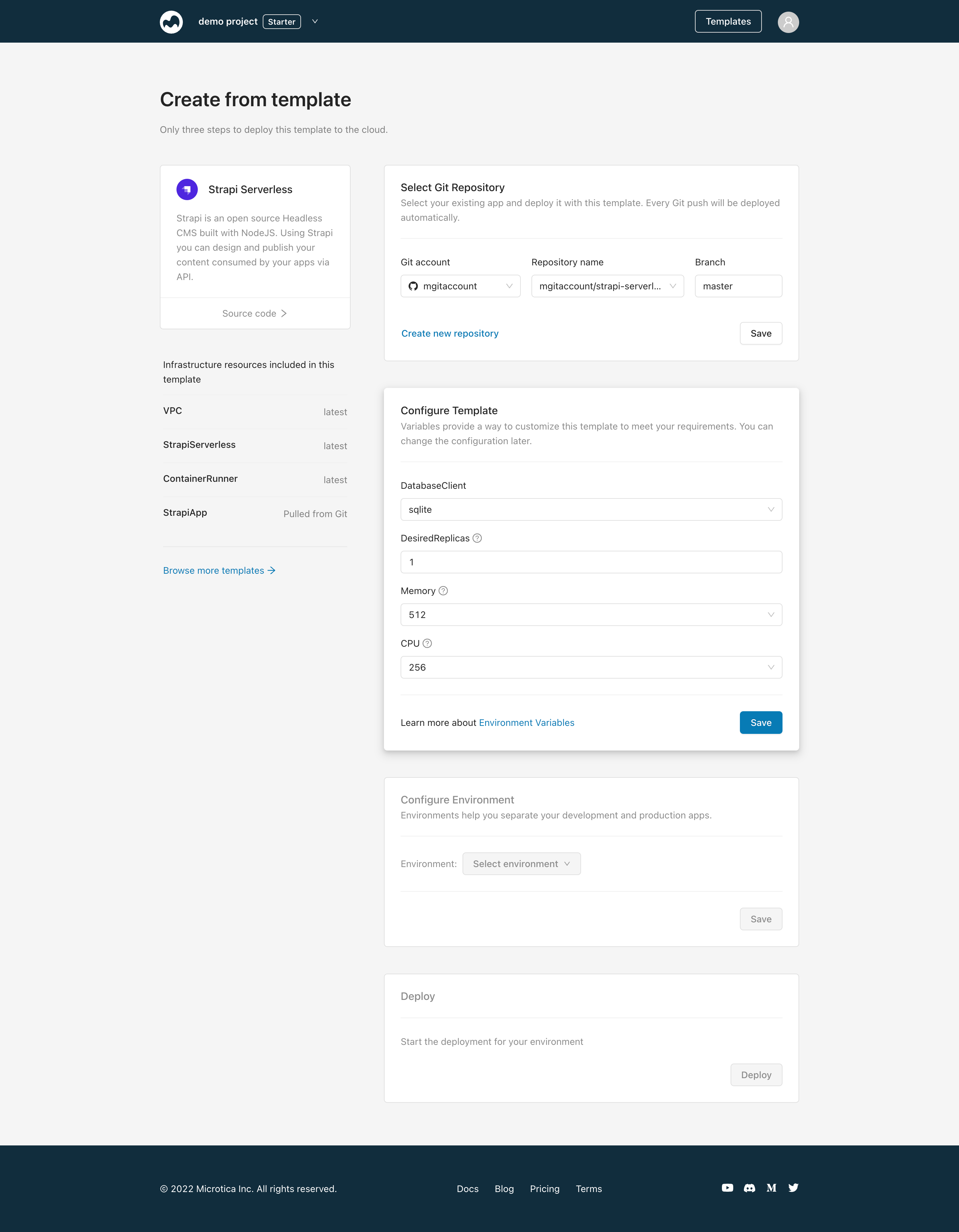
You can also configure these parameters after deploying your template. Navigate to your environment, open the Infrastructure tab, and select the Strapi component. In the Resource Settings tab, under General, you'll find all the resource properties you can configure.
For vertical scaling, update the CPU and Memory configuration. For horizontal scaling, update the number of desired replicas.
Click Save to save the configuration only, or Save and Deploy to apply your changes immediately by deploying a new version of the StrapiServerless component.
Next steps
Access the RDS database
Reach your Strapi RDS database in a private VPC from your local machine — create an EC2 key pair, open SSH, and tunnel in with psql or a GUI client.
Migrate your Strapi app from Heroku to AWS
Move your Strapi app from Heroku to your own AWS account with Microtica in two steps — provision the infrastructure, then migrate your PostgreSQL or MySQL data.