

Core Concepts
Understand the building blocks of Microtica: projects, environments, components, apps, pipelines, and deployments, and how they fit together.
Microtica organizes infrastructure and application delivery around a handful of primitives. This page maps how they fit together so the rest of the docs make sense.
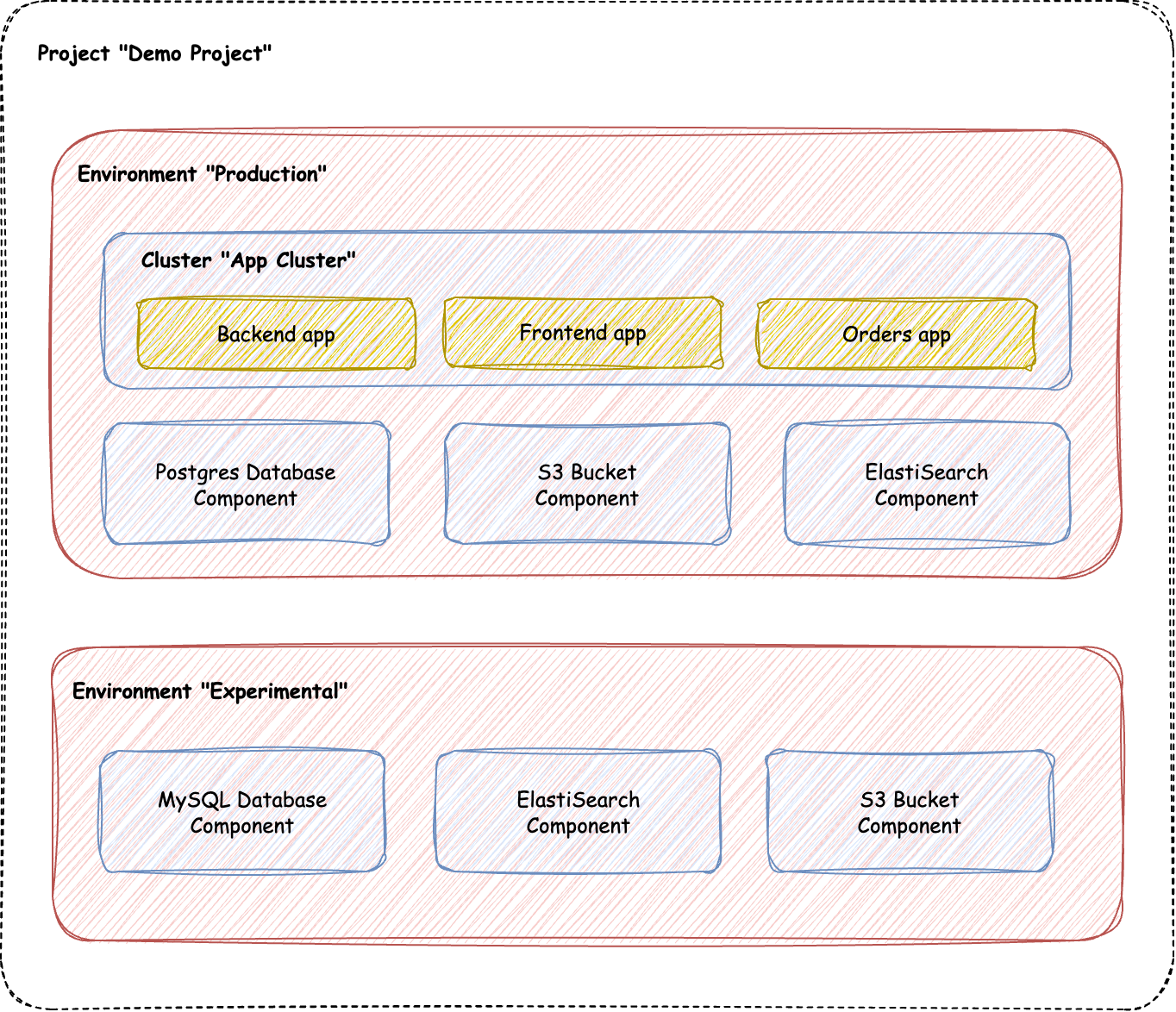
Project
A project is your top-level workspace. You group and organize every environment, component, and application inside it, and you manage teammates and billing at this level.
Environment
An environment groups the components and applications that form one running system, such as development, staging, or production. Each environment connects to a single cloud account, and once it's deployed, that cloud account can't be changed.
Component
A component is a modular piece of infrastructure as code. Components define the infrastructure resources you deploy across your environments. They're reusable and configurable, so you can deploy the same component with different settings per environment.
Apps
Apps are the code you write, stored in your Git account and deployed within a component of type cluster. The cluster can be anything capable of hosting applications, like Kubernetes, Fargate, or Lambda. Apps run on top of the infrastructure your components define.
Pipeline
A pipeline automates delivery in Microtica. It defines the sequence of steps that build, test, and deploy your components and applications, driving your CI/CD workflow.
Deployment
A deployment launches your infrastructure and applications into an environment. You can trigger deployments manually or automate them through pipelines.
Next steps
Migrate from Heroku to AWS
Move your Heroku app to your own AWS account with Microtica's ready-made infrastructure and templates, including your PostgreSQL or MySQL database.
Project
A project is your central workspace in Microtica, where you organize environments, components, and applications and manage teammates and cloud settings.