

Environments
Environments group the infrastructure components and applications that make up one running system in Microtica, each tied to a single cloud account.
An environment groups the components and applications that together form one complete system. Within a single project you can create as many environments as you need.
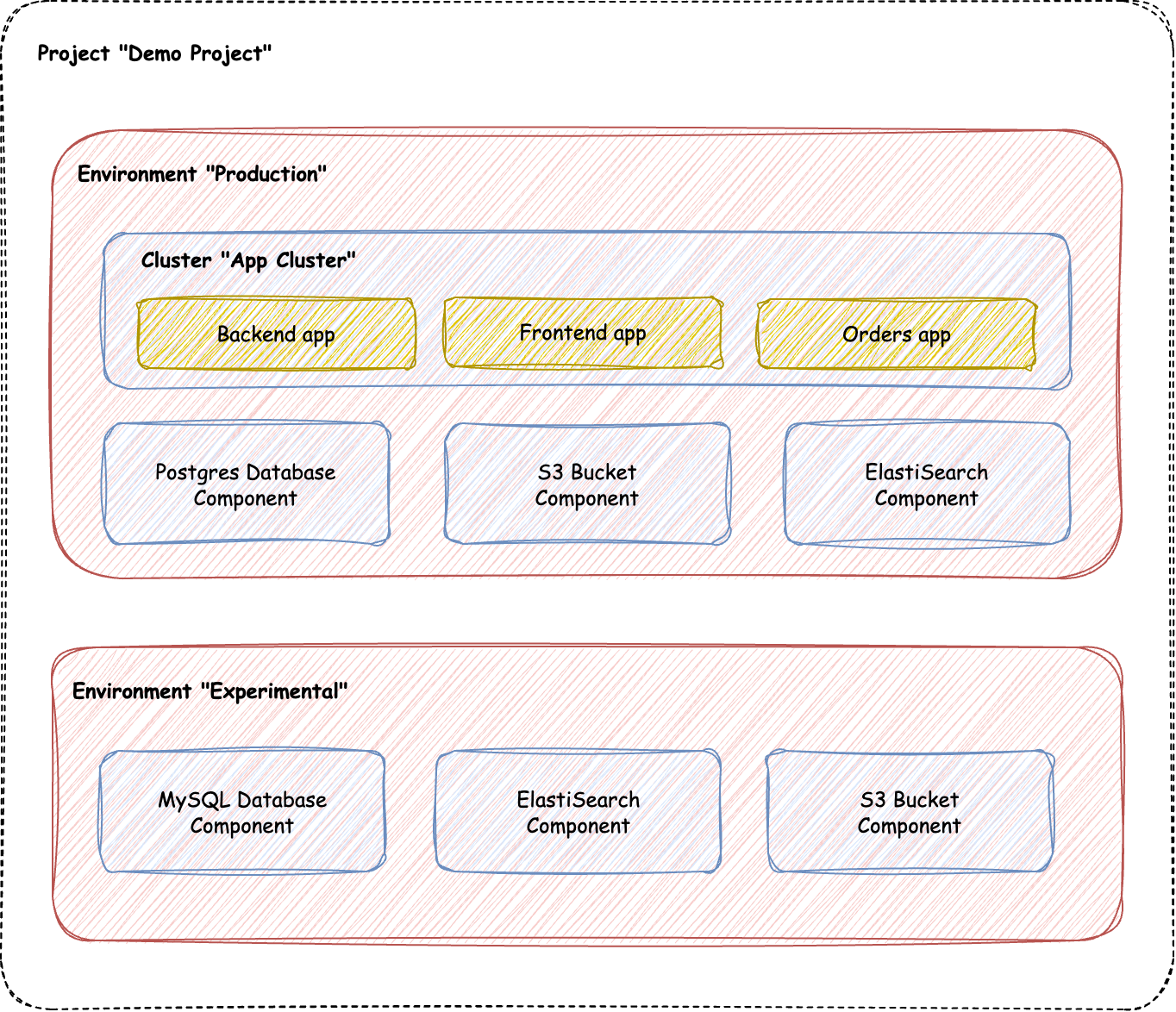
Structure environments to fit your work
You can shape environments around different use cases. Create a separate environment for each sub-system in a project to isolate parts of your architecture. Or organize them by purpose, such as development, testing, and production, so every stage of your delivery lifecycle is clearly defined.
Deployment lifecycle
Each environment runs its own deployment lifecycle. You control how and when its applications and components deploy, independently of any other environment. That separation lowers risk and lets you test changes thoroughly before they reach production.
Connection to cloud accounts
An environment connects to a specific cloud account, such as AWS, GCP, or Azure. You set this connection when you create the environment. Once the environment is deployed, the cloud account can't be changed, so every resource in the environment stays tied to the cloud provider you chose at the start.
Deploy components and apps
You have two ways to deploy applications within an environment:
- Manual deployment — deploy applications one by one or in bulk, depending on your needs.
- Automated deployment — use pipelines to deploy applications automatically across all your environments.
Next steps
Billing
Manage your Microtica plan and billing: start free with one project and environment, add unlimited users, then upgrade your plan for production workloads.
Infrastructure provisioning
Provision and manage cloud infrastructure as code in Microtica, with GitOps, self-service, automation, and cost optimization from commit to production.