

Assign a custom domain to an application
Expose a Kubernetes application to the internet in Microtica by assigning a free Microtica domain or your own custom domain, with SSL handled for you.
By default, applications deployed on your Kubernetes cluster aren't exposed to the internet. To reach an application from the internet, assign it a custom domain.
Select the application and click Assign domain.
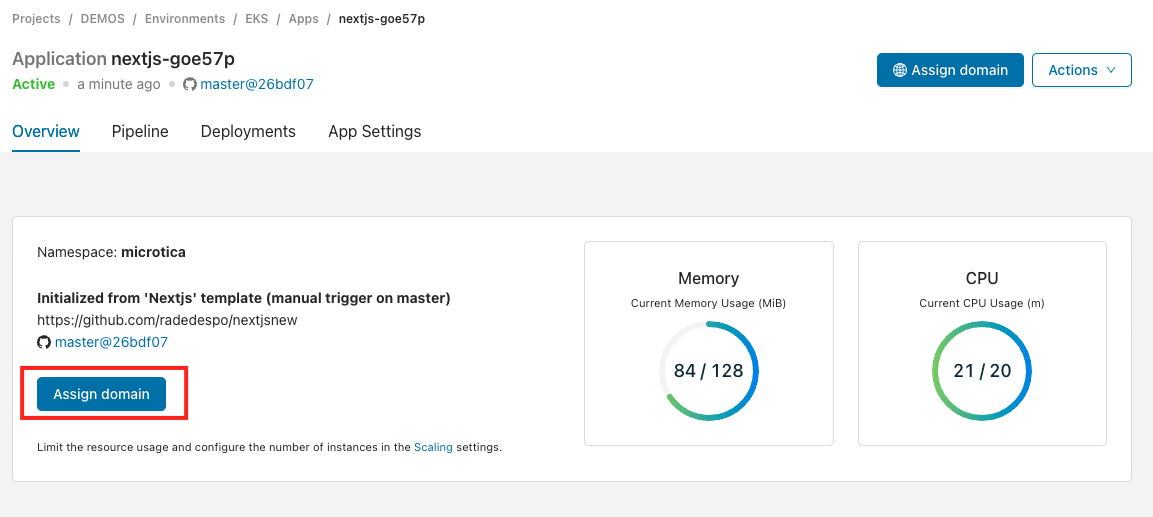
You have two options:
- Assign a Microtica domain (microtica.rocks) for free.
- Add your own custom domain (Starter plan for $29/month).
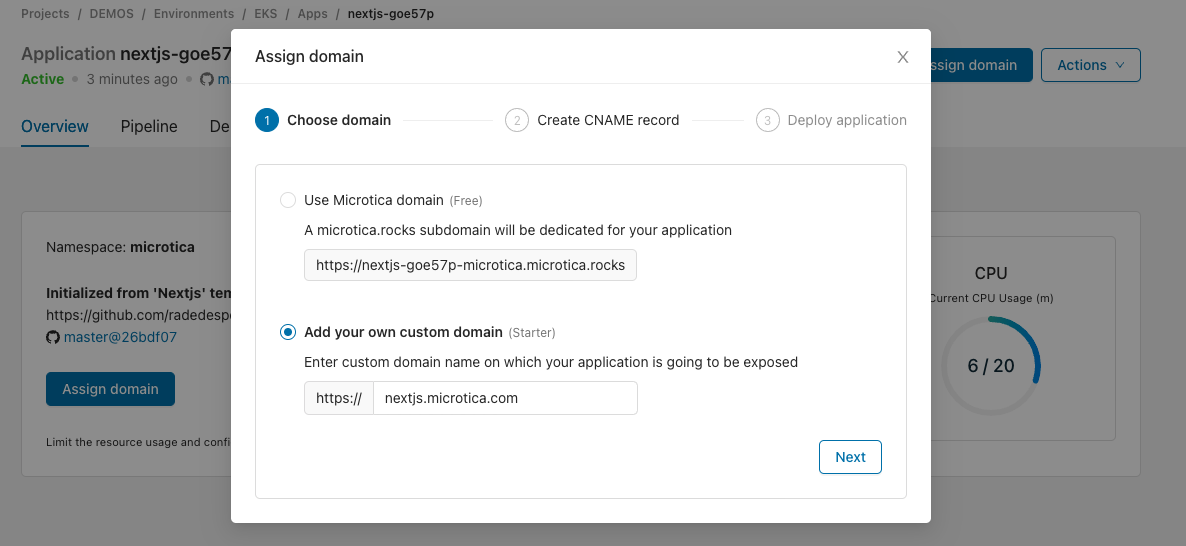
Choose your preferred option. Microtica starts setting up the Ingress and SSL certificate configuration on your Kubernetes cluster. This could take up to 3 mins.
Once setup finishes, update your DNS records with the information shown in the next step.
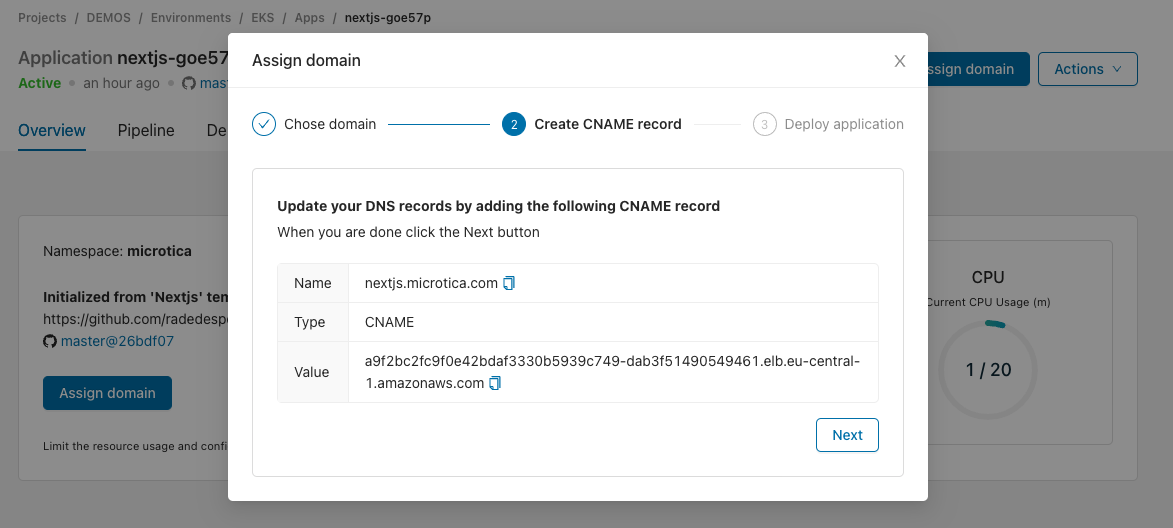
This example uses GoDaddy as the domain provider, but the process is similar for other providers.

Once you add the CNAME record at your domain provider, click Next. Wait until DNS propagation completes. This could take a few minutes.
In the next step, Restart your application for the changes to take effect.
Your application should now be accessible on your custom domain. 🎉
Next steps
Scaling
Scale your Microtica applications vertically and horizontally by configuring CPU, memory, and instance replication from the App Settings tab in the console.
Components
Components are reusable infrastructure-as-code building blocks in Microtica, built with CloudFormation for AWS or Terraform for multiple clouds.