

Deployment insights
See the full history of every deployment, track performance metrics, trace changes back to Git commits, and roll back to a previous version when you need to.
Deployment insights give you analytics, monitoring, and history for your application and infrastructure deployments. You can see the current state of a deployment, track resource use, read real-time logs, trace changes back to Git commits, and roll back to a previous version.
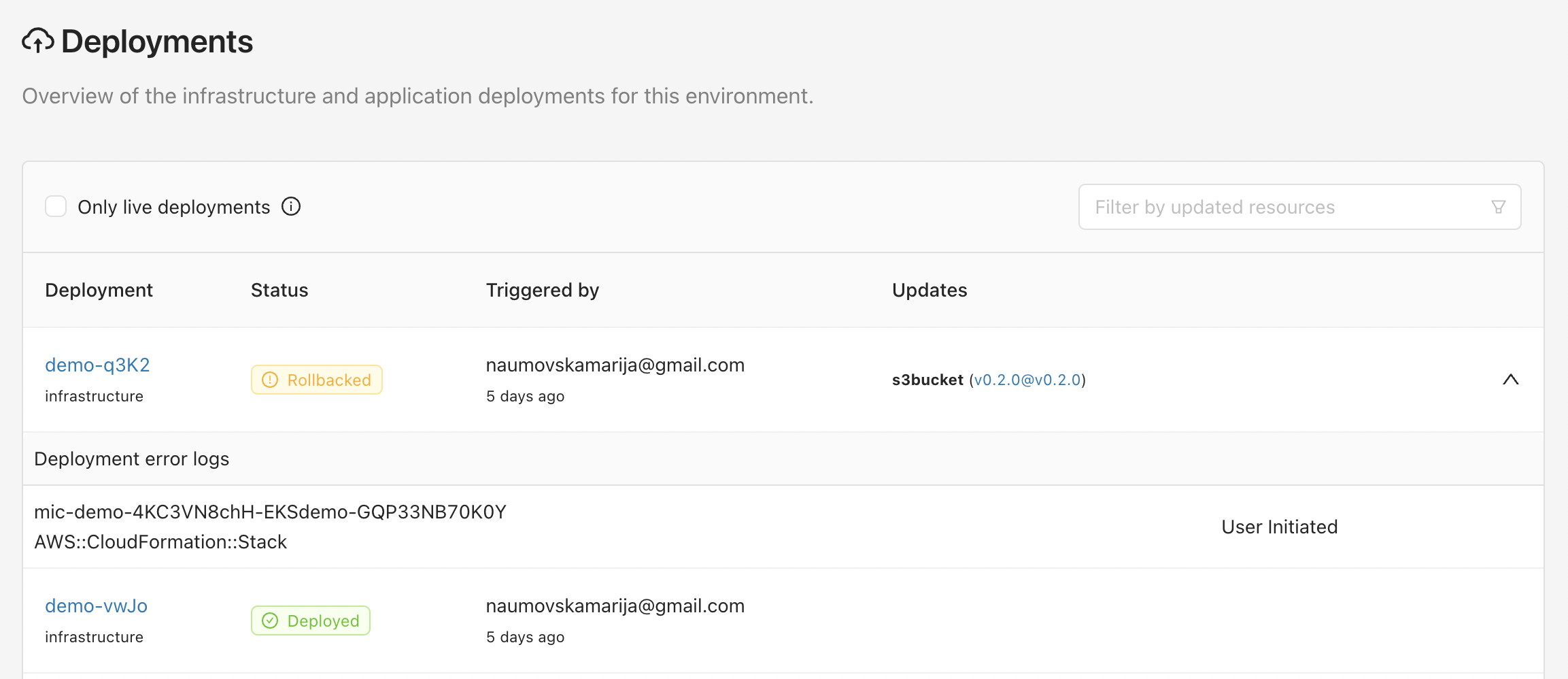
Deployment history
- Audit trail. A deployment history log captures the details of each deployment, including who started it, when it ran, and the changes made to the application or infrastructure.
- Version tracking. Track the deployed versions of applications and infrastructure components so you can refer back to a specific version when you need to.
- Change history. See the changes made during each deployment, including the code commits or configuration changes tied to it.
- Deployment status. Clear indications of whether each deployment succeeded or failed, along with any error messages or warnings.
Insights and analytics
- Performance metrics. Monitor key metrics such as resource use and consumption, pipeline success rate, and pipeline duration. These metrics show how efficient and effective your deployment processes are.
- Real-time monitoring. Monitor deployments as they run, track progress, view logs, and receive alerts or notifications about deployment status.
- Git integration. See the specific code changes tied to each deployment, so you can trace deployed changes back to their source commits for troubleshooting and analysis.
- Rollback capability. Roll back to a previous version or configuration if a deployment fails, giving you a safety net to return to a known stable state.
How it works with other features
Deployment insights connect with other Microtica features, such as CI/CD pipelines and environment management. You get one view of your delivery process, with deployment metrics correlated to pipeline configurations, environment details, and other data.
How to use deployment insights
Watch the video tutorial to learn how to use deployment insights in Microtica. It walks through accessing the feature, browsing the history logs, and using the analytics to understand your deployment processes.
With deployment history and insights, your team can improve deployments, optimize resource use, and make data-driven decisions across the software delivery lifecycle.
Next steps
Pipeline notifications
Stay on top of your CI/CD pipelines with real-time status updates. Get alerts in Slack and the Notification Center when a pipeline starts, finishes, or fails.
Automated rollbacks
Recover from failed deployments fast. Microtica reverts to the last stable version automatically when a release fails, with no setup required on any pipeline.