

Pipeline notifications
Stay on top of your CI/CD pipelines with real-time status updates. Get alerts in Slack and the Notification Center when a pipeline starts, finishes, or fails.
Pipeline notifications keep you informed about the status and progress of your CI/CD pipelines. You get timely alerts on key events, so you can track your deployments and your team can act fast when something needs attention.
Real-time status updates
Microtica sends real-time notifications about the status of your CI/CD pipelines. You get an update when a pipeline starts, completes, or hits an error or failure. These notifications let you track your deployments and respond immediately if an issue comes up.
Notification channels
Microtica delivers pipeline updates through the channel your team prefers. You can configure notifications to be delivered via Slack (email coming soon). Your team stays informed and can discuss pipeline events directly in their communication tool.
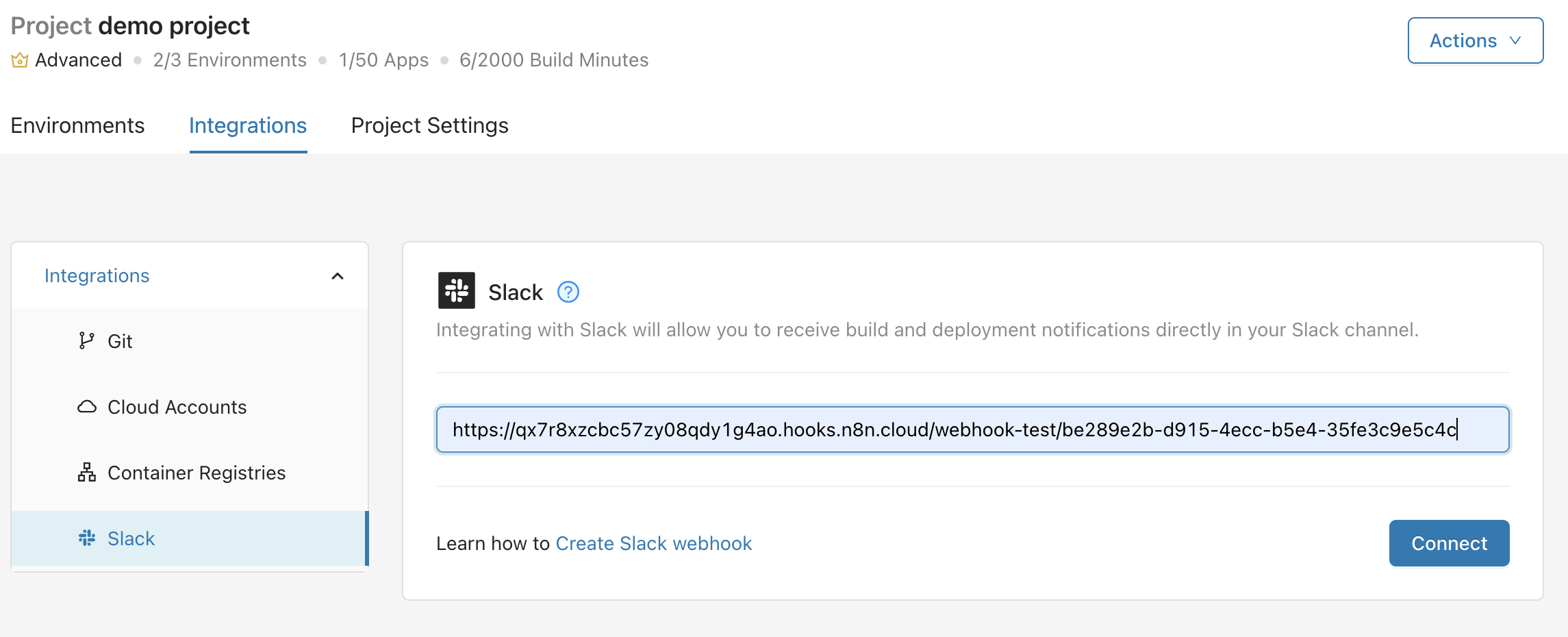
To configure Slack notifications, open Integrations in the project and select Slack from the left panel. Learn how to create Slack webhooks.
Notification Center
Pipeline notifications give you the details you need to understand the state of your deployments at a glance: the project, pipeline name, status, time, and who triggered the change. Open them by clicking the Notifications icon 🔔 in the top-right header.
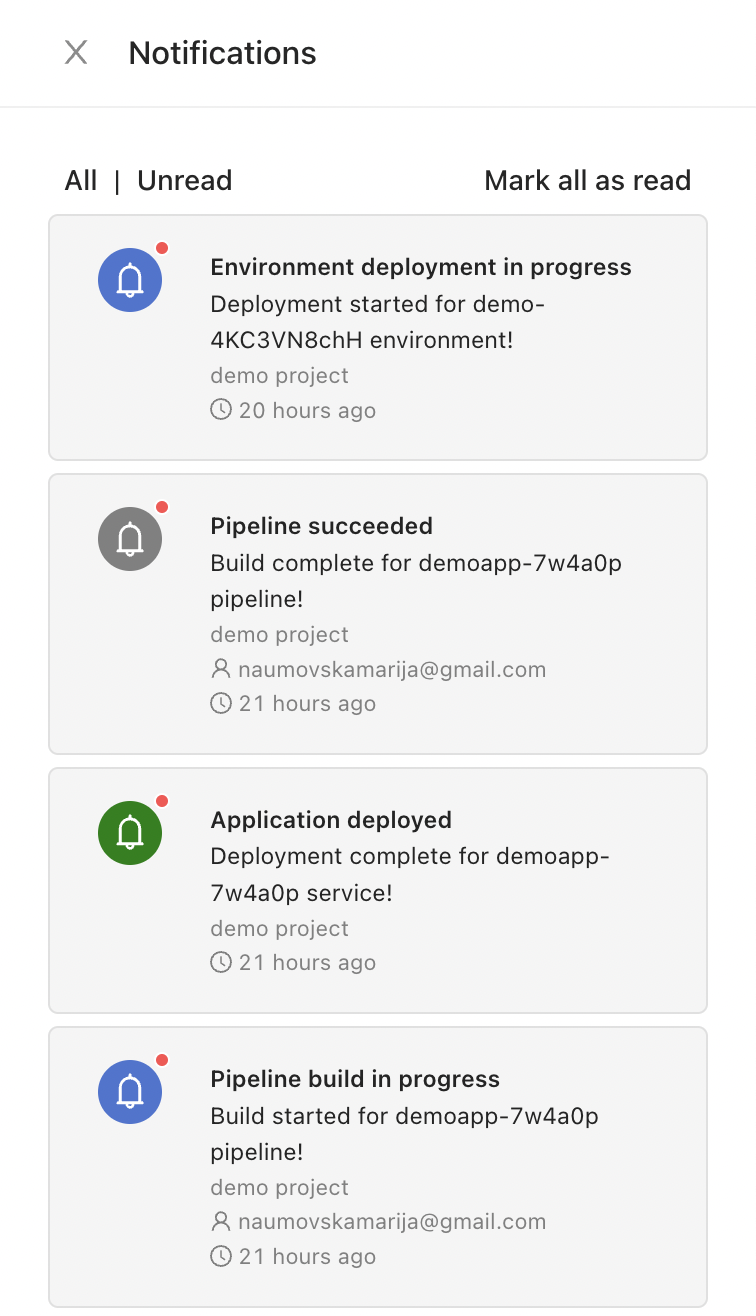
Pipeline notifications are on by default, giving you a simple way to keep tabs on your CI/CD workflows.
Next steps
Deploy from multiple Git branches
Run separate deployment pipelines for different Git branches so you can ship development, testing, and production to their own cloud environments in parallel.
Deployment insights
See the full history of every deployment, track performance metrics, trace changes back to Git commits, and roll back to a previous version when you need to.